Know why
you won
Record every kickout, shot and turnover in three taps. At half time, the three things to fix. At full time, why you won.
30 days free · No card needed · iPhone, iPad and Android
The Gaelic football stats app for coaches — club and county, adult and underage.
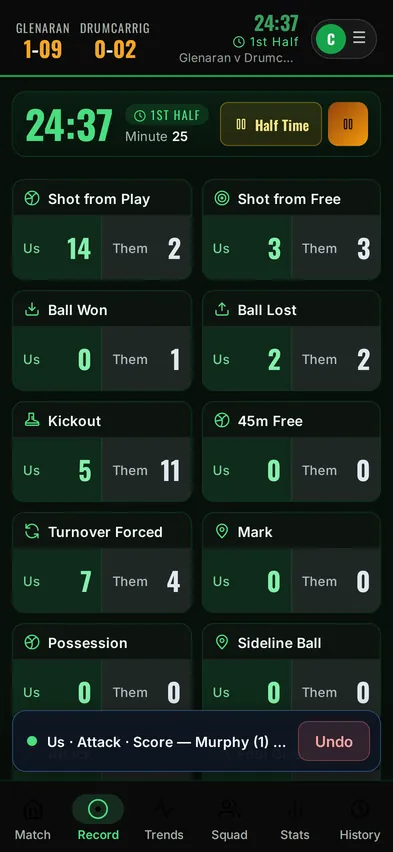
Record it in three taps
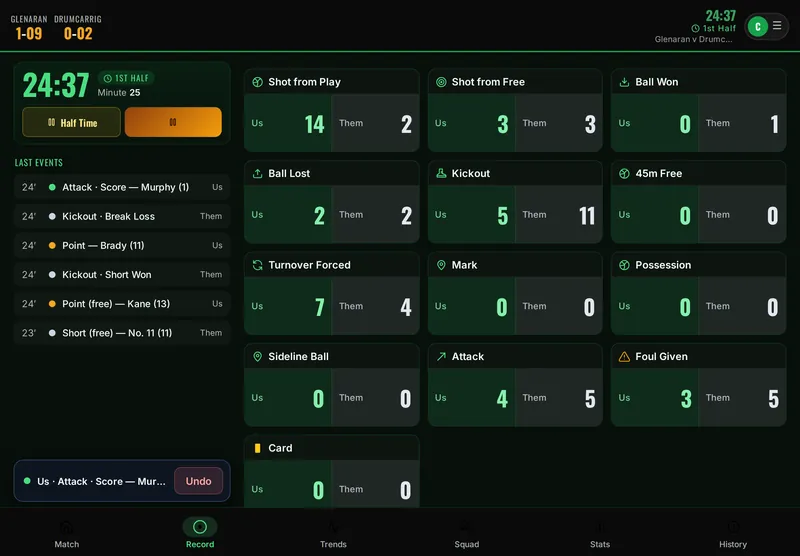
Built to be used standing on a sideline, in the rain, with one hand. Events save on the outcome tap, the player is optional, and a mis-tap is one Undo away.
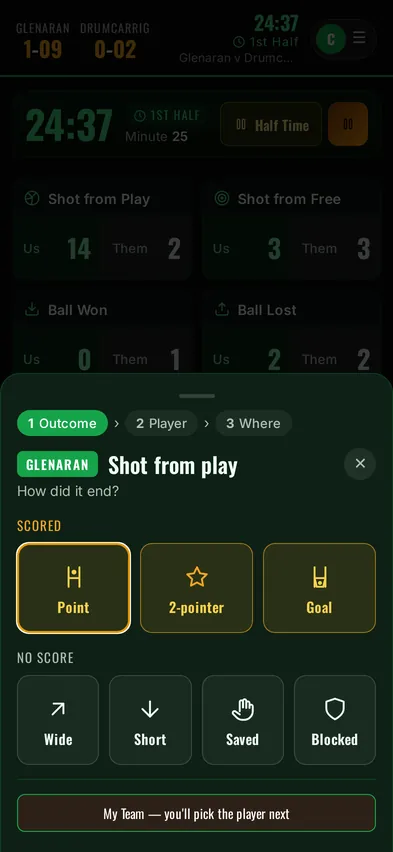
What happened
Tap the event, then the outcome — point, wide, won clean, break lost.
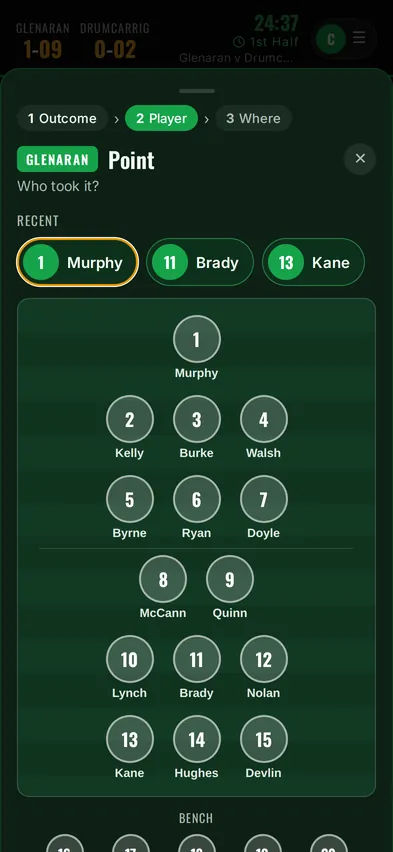
Who did it
Your team laid out on a pitch, with the players you picked most recently at the top.
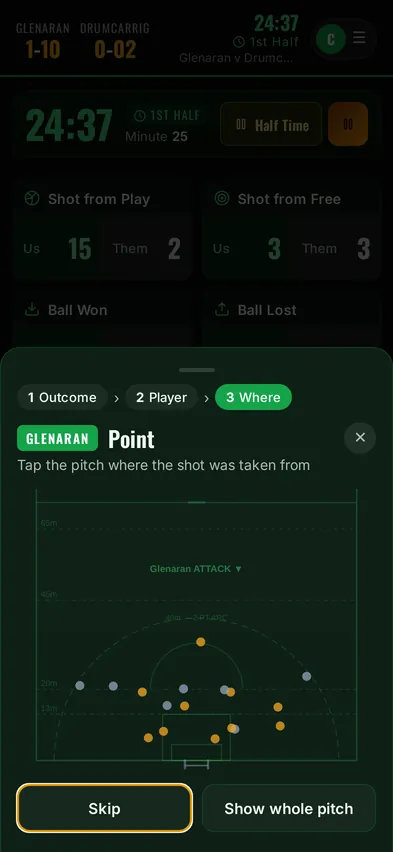
Where on the pitch
One tap for the spot — or skip it. That’s what draws the shot and kickout maps.
Walk into the dressing room with three talking points
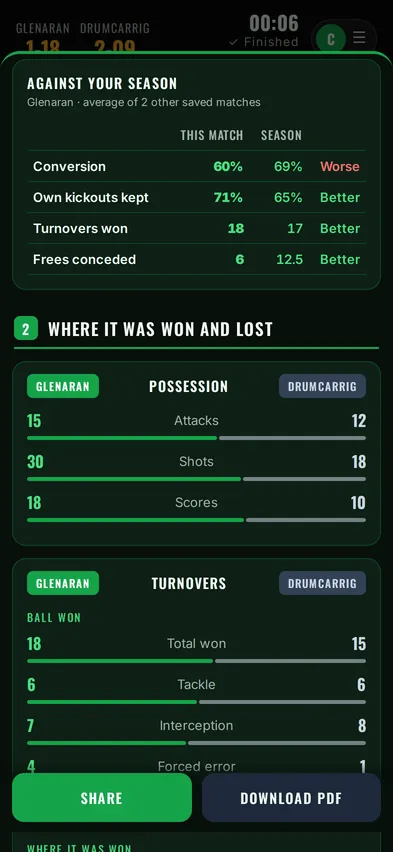
Tap Half Time and the report is ready before you reach the dressing room. The biggest problems first, then what’s working.
- Score trend and momentum — who was on top, and when it turned.
- Kickouts, shooting and turnovers side by side with the opposition.
- Share it to the WhatsApp group in one tap.
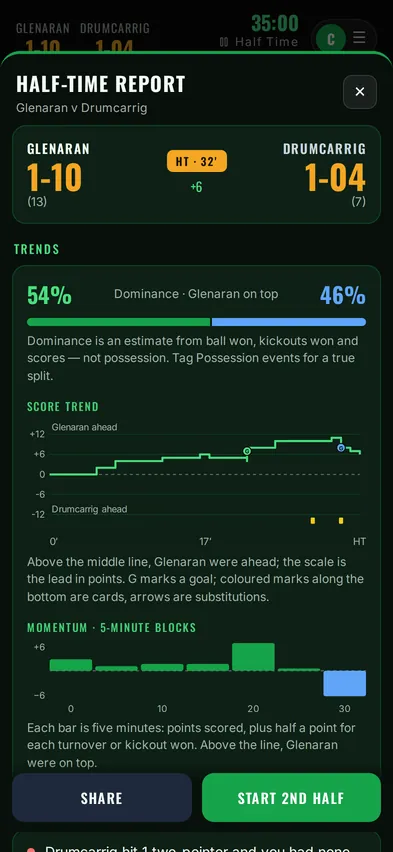
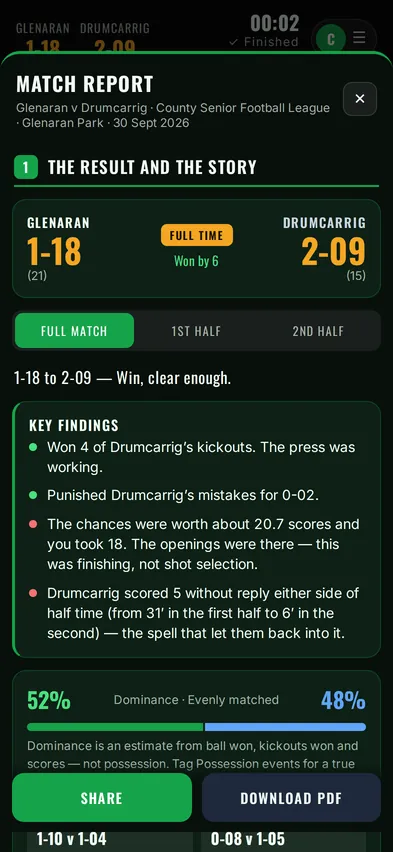
Know why you won — or why you didn’t
One match report in four sections: the result and the story, where it was won and lost, shooting, and discipline and players. Every chart comes with a line on how to read it.
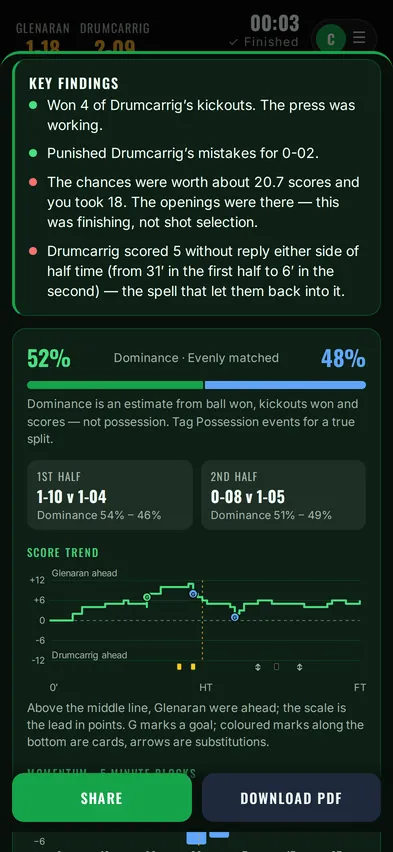
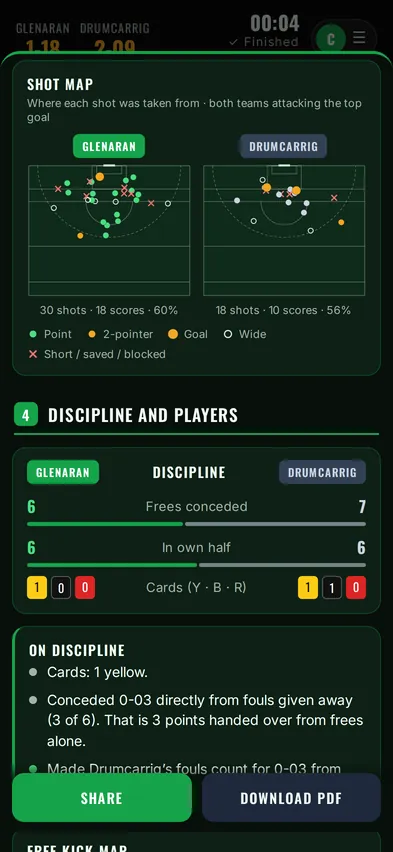
Made for the big screen too
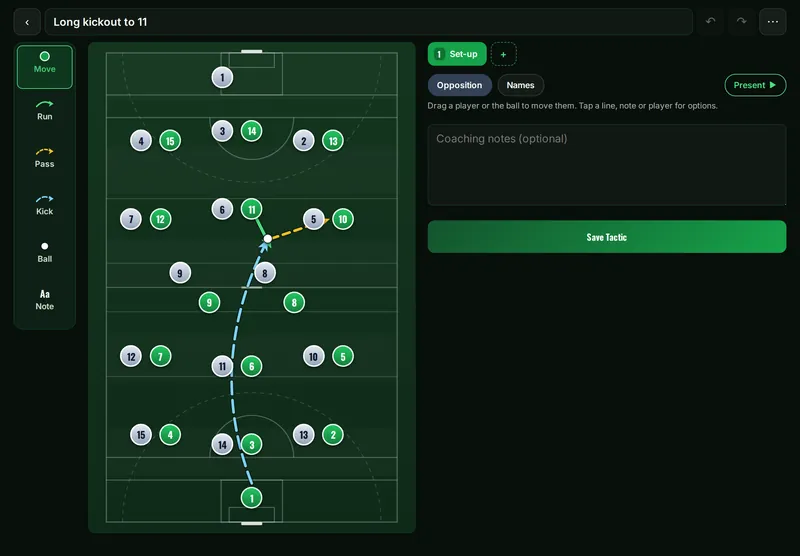
On an iPad in landscape, the last events sit beside the event grid. Draw kickout options and attacking shapes on a proper pitch, then present them to the team.
Everything else a season needs
- Squad and trainingA 34-player panel, attendance, who is injured and available. Season figures build from your matches.
- A second recorderSomeone on another phone records too — the opposition, say, or the kickouts — and it all joins your match on your clock.
- Player trialsClub plan: graded trial matches, physical testing and a PDF with rankings, run by club admins. Co-coaches grade from a link.
- Video analysisLine up the events you recorded with the match video, play them back as a reel, tag more moments and build clips.
- Season summaryWin, draw and loss record, top performers, how you compare with other teams, and a printable management report.
- Fixtures and oppositionUpcoming matches, and a profile of every side you play, built from your results.
- Live shareHand the recording to someone else and follow the stats on your own phone with a short code.
- Your own eventsSwitch events off, or add your own — they record, report and map like the built-in ones.
- ExportEvery match as a spreadsheet, a PDF pack, or the full event log for Excel or Google Sheets.
- Club accountsSeveral coaches and squads on one club, with leaderboards across every team.

Made on the sideline, not in an office
Coach Stats is built by a Gaelic football coach, coaching at club and county level. It answers the questions every coach asks on the sideline: why are we losing our own kickouts, where are their scores coming from, and what do I say at half time?
Ideas and problems go straight to the person who builds it.
30 days free. Then £6.99 a month.
Less than a set of cones. Full access during the trial, no card needed — and after it, scoring your matches stays free.
Individual
- Live match recording and the half-time report
- Match report with maps, and PDF downloads
- Squad, training and availability
- Tactics board and video analysis
- Unlimited match history
Club
- Everything in Individual
- Multiple coaches and squads on one club
- Shared event settings and trial grading
- Club-wide leaderboards and admin controls
- Priority support
Prices include VAT where applicable. Pay in pounds or euro — you choose at checkout.
Not ready yet? Get a sample report
We’ll email you a full sample match report, so you can show it to your management team or club committee.
Thanks — it’s on its way. You can also open the sample report now.
Questions clubs ask us
Where is our data kept, and is it GDPR-compliant?
Your data is stored with Supabase on servers in Ireland (EU), encrypted in transit and at rest. Coach Stats follows UK GDPR, and EU GDPR for users in Ireland. We don’t sell data, don’t use it for advertising, and don’t use analytics or tracking cookies.
The data you enter belongs to you or your club. Read the full privacy policy.
We coach under-18s. What should we know?
Accounts are for coaches aged 18 and over. Player details you record are held for you as the coach, so follow your club’s and the GAA’s safeguarding and data protection guidance and only record what you need.
Coach Stats doesn’t collect anything from players themselves, and keeps no medical details: a player can be marked injured, with dates, and nothing more. A parent can ask the coach, or us, to see or delete their child’s information.
Does it work on Android, and without signal?
Yes. Coach Stats runs on iPhone, iPad and Android and installs to your home screen from the browser — no app store needed. Once installed it records without signal and syncs when you’re back online.
Can we get our data out?
Yes. Download any match report as a PDF, the event log of any match as a spreadsheet, your whole history as a CSV or PDF pack, or a full backup.
What happens after the free trial?
You get 30 days with everything switched on and no card needed. To keep going, choose a plan in the app. Cancel any time from Account & settings — you keep access until the end of the period you’ve paid for, and new subscriptions have a 14-day refund.
Does it cover ladies’ football, hurling and camogie?
Yes — men’s and ladies’ Gaelic football, hurling and camogie, club and county, adult and underage. Pick the code for each match: hurling and camogie get puckouts, sideline cuts and 65s, and football has the 2-pointer built in.
Can more than one coach use it?
On the Club plan, several coaches and squads share one club, with shared event settings, trial grading and leaderboards. On either plan, a second recorder can help on their own phone, and Live share lets others follow the stats on theirs.
Ready for the sideline?
Start your free trial, then add Coach Stats to your home screen.
- Open coachstats.app in Safari
- Tap Share
- Tap Add to Home Screen, then Add
- Open coachstats.app in Chrome
- Tap the ⋮ menu
- Tap Install app or Add to Home screen
30 days free · No card needed